
Cybersecurity Awareness Month: Business Protection Steps
Cyber threats can affect businesses of every size, not only large corporations. From customer records and payment information to everyday communication and operations, technology is central to how...
Read more

Deer Collision Safety Tips for Commercial Drivers
When fall brings shorter days, businesses with employees on the road should place extra emphasis on seasonal driving safety. Deer activity often rises during the early morning and evening, when...
Read more

Has Your Insurance Kept Pace With Your Life?
When there are about 100 days left in the year, it is natural to reflect on what has changed since January. Maybe you reached a personal goal, took on a new responsibility, or made an important...
Read more

How Businesses Can Prepare for Rising Ransomware Threats
Ransomware is now one of the most serious digital threats facing businesses. Attacks that once seemed limited to large corporations can disrupt organizations of every size, including small...
Read more

How Truck Driving Simulators Strengthen Fleet Safety
Commercial fleet leaders must continually balance driver safety, productivity, and operating expenses. Driver behavior is connected to a large share of workplace vehicle incidents, so the quality...
Read more

Back-to-School Safety Tips for Families
As a new school year begins, families are often focused on supplies, schedules, lunches, and earlier mornings. It is also an ideal opportunity to revisit the everyday habits that help children...
Read more

Fall Prevention Tips for South Florida Businesses
Fall Prevention Awareness Month is a valuable reminder for businesses to review the everyday conditions that can lead to workplace injuries. Slips, trips, and falls remain common across many...
Read more
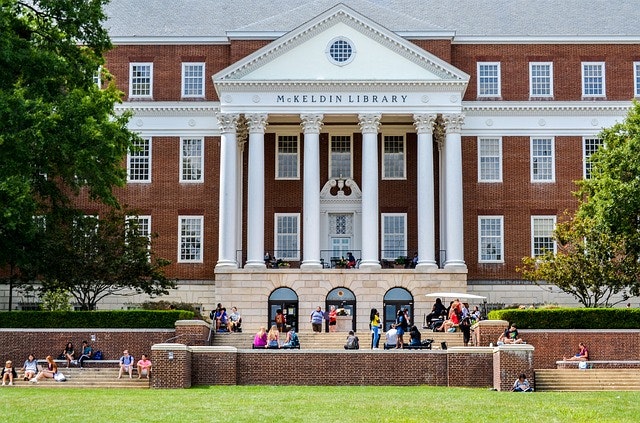
Insurance & College Students - Key Considerations
Sending a student off to college is a proud and exciting milestone, but it also brings new responsibilities that many families don’t think about right away. Insurance is one of those areas that can...
Read more

Boat Liability Risks Most Owners Don’t Think About
Many boat owners look forward to the return of warm weather, planning trips on the water and preparing their vessels for the season. But while excitement builds, it’s easy to overlook whether your...
Read more

National Homeownership Month - June - Common Insurance Mistakes to Avoid
June is National Homeownership Month, which makes it an ideal reminder to look closely at whether your homeowners insurance truly reflects the home you live in today. Many homeowners set up their...
Read more
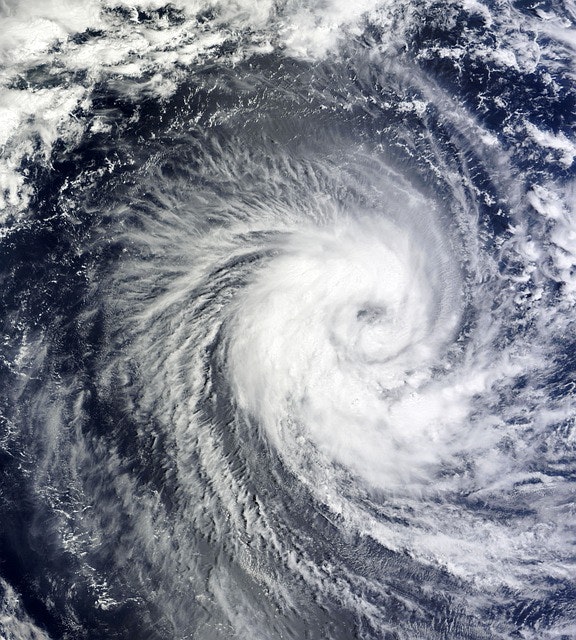
Hurricane Season Preparation for Commercial Properties
Hurricane season can place significant strain on commercial buildings, business operations, and financial stability. Preparing early helps minimize damage, protect people on-site, and support...
Read more

Hurricane Season Readiness Tips for Homeowners
Hurricane season officially begins on June 1, and being prepared is essential for anyone who owns a home. Even if you do not live right on the coastline, storms can still produce destructive winds,...
Read more

Spring Safety Tips to Protect Outdoor Teams and Your Business
As the weather warms up and outdoor projects ramp back up, spring offers the perfect opportunity to refresh your commercial property. But the season also brings its own set of safety challenges...
Read more

8 Common Insurance Myths That Could Leave You Unprotected
March 11th is Debunking Day, which makes it the perfect moment to clear up some long‑standing confusion around home and auto insurance. Many people make coverage decisions based on...
Read more

Spring Safety Tips Every Commercial Driver Should Know
As winter fades and spring arrives, the changing season can create new challenges for commercial drivers. Longer days, blooming vegetation, active wildlife, and shifting weather patterns can all...
Read more

6 Spring Driving Safety Tips Every Motorist Should Remember
As winter melts away and mild spring weather moves in, many drivers assume that roads will naturally become easier to navigate. However, spring introduces its own collection of seasonal hazards...
Read more

Why Personal Umbrella Insurance Deserves a Second Look
March may be known for changing seasons, but it also marks National Umbrella Month—a perfect reminder to revisit a type of protection many people overlook: personal umbrella insurance. While your...
Read more

Common small business insurance questions explained
Running a small business means making countless decisions every day, and insurance often lands near the top of the list of topics that cause confusion. Whether you’re opening your doors for the...
Read more
Essential Insurance Answers Every Small Business Owner Should Understand
Running a small business means juggling countless decisions, and insurance is often an area where uncertainty creeps in. Whether you’re just getting your business off the ground or you’ve been...
Read more

Protecting Your February Purchases the Smart Way
February may be one of the shortest months of the year, but it often comes with some of the biggest spending moments. From Valentine’s Day jewelry and meaningful gifts to major Presidents’ Day car...
Read more
How to Protect Your Valentine’s and Presidents’ Day Purchases
February may be brief, but it is often one of the most purchase-heavy months of the year. Romantic gifts, fine jewelry, unique art, and big-ticket Presidents’ Day car deals can all bring...
Read more
How to Safeguard Your Valentine’s and Presidents’ Day Purchases
February may be brief, but it’s often one of the costliest months of the year. Between Valentine’s Day gifts, sentimental surprises, and attention‑grabbing Presidents’ Day auto deals, many people...
Read more

Hidden Home Insurance Add-Ons You Might Be Overlooking
Read more
6 Key Insurance Risks Businesses Should Prepare for in 2026
As 2026 gets underway, companies are stepping into a landscape filled with new challenges and fast‑shifting threats. From legal pressures to advanced cyber incidents, the risks facing organizations...
Read more
6 Key Insurance Risks Businesses Should Prepare for in 2026
As we step into 2026, companies are navigating a landscape filled with rapid changes, sharper challenges, and higher stakes. From costly legal battles to increasingly sophisticated cyberattacks,...
Read more

A Fresh Look at Teen Driving Awareness Month
January marks Teen Driving Awareness Month, a meaningful reminder of the big step young drivers take as they earn their licenses. For teens, it’s a moment filled with pride and the thrill of new...
Read more

Holiday Safety Starts With Smart Choices
The holiday season brings joyful gatherings, sparkling lights, and moments that remind us how meaningful it is to spend time with the people we care about. Between festive parties, family dinners,...
Read more

Business Interruption Coverage: What Every Owner Should Know
Unpredictable disruptions have become a growing concern for business owners. From severe weather events to cyberattacks, even well‑prepared companies can find themselves suddenly unable to operate....
Read more

Protecting Your Holiday Valuables This Season
The holidays bring a special kind of excitement—giving meaningful gifts, unwrapping surprises, and creating memories with the people who matter most. Amid the joy, it’s easy to overlook the...
Read more

Halloween Safety: Ensure a Spooky, Safe Celebration
Halloween is a magical time of year when costumes, candy, and community come together for a night of festive fun. However, amidst the joy and excitement, it's important to be aware of potential...
Read more

Safeguard Your Fall Event with These Liability Tips
Embracing Fall Festivities with Safety in MindThe crisp fall air and vibrant autumn leaves signal a season of gathering and celebration. Fall events are an opportunity for communities to come...
Read more

Halloween Safety: Prevent Drinking & Driving
Halloween Fun Shouldn't End in TragedyHalloween is a time of costumes, candy, and community fun. However, it's also a time where we must be extra vigilant about safety, especially on the roads. As...
Read more

Fire Safety: October Tips for a Secure Home
October arrives with cooler weather and beloved seasonal traditions, making it an ideal time to revisit essential fire prevention measures. Simple awareness can significantly protect our loved ones...
Read more

Slip & Fall Season: A Guide to Preventing Liability
Embrace a Proactive Approach: Don't Wait Until Something HappensAs autumn leaves start to fall and temperatures drop, business owners face the increased risk of slip-and-fall incidents. It's not...
Read more

Cybersecurity Awareness Month: Best Practices for SMEs
October is Cybersecurity Awareness MonthEach October, businesses around the world face a sobering reminder: cyber threats are constantly evolving, and no organization is immune. For small and mid...
Read more

Fall Safety Reminder: Avoid Deer Collisions
The Hidden Dangers of a Beautiful SeasonAs the leaves change and paint a picturesque autumn scene, it’s easy to be captivated by fall’s beauty. However, this dazzling season comes with its own set...
Read more

Fall Insurance Safety: Cozy Yet Cautious Tips
Embrace the Season with Safety in MindAs autumn unfolds, it brings the comforting scents of pumpkin spice and the vibrant hues of falling leaves. It's a season of cozy traditions, from sipping warm...
Read more

100 Days Left: A Commercial Insurance Check-Up
Don't Let the Clock Run Out on Your Business ProtectionAs the year approaches its end, it might surprise you to know there are only 100 days left. This realization isn't just a cue for reflections...
Read more

100 Days Left: Personal Insurance Checklist Reminder
As the year winds down and we find ourselves with just about 100 days remaining, it's easy to feel overwhelmed by the hustle and bustle of daily life. We're often chasing deadlines and planning for...
Read more

Essential Insurance Tips for College-Bound Students
Navigating College with Peace of MindAs the excitement of a new school year beckons, parents and guardians find themselves swept up in the whirlwind of preparing to send a student off to college....
Read more

Back-to-School Traffic Safety: August Awareness Tips
The back-to-school season is upon us, swirling with the familiar blend of excitement and pressure that families face each year. As children head back to classrooms, it’s a perfect time to recognize...
Read more

Navigating Homeowners Insurance & Property Line Disputes
Read more
Does General Liability Cover Independent Contractors?
Understanding Liability Risks with Independent Contractors Collaborating with independent contractors offers flexibility and access to specialized skills, but it also brings unique liability...
Read more

Navigating Certificates of Insurance vs. Endorsements
Read more
Fireworks Safety & Coverage: A Must for July Celebrations
There's nothing quite like the magic of fireworks lighting up the night sky during the Fourth of July. Yet, as we embrace this dazzling tradition during National Fireworks Safety Month, it's...
Read more

Three Essential Insurance Tips for New Homeowners
June is recognized as National Homeownership Month, a time to celebrate the rewarding journey and pivotal milestone of owning a home. While the excitement of a new home fills the air, it's...
Read more

Prepare Your Home for Summer: Upgrades for Comfort and Safety
Summer is the perfect time to breathe new life into your home while the sun shines and spirits are high. As a homeowner, enhancing comfort and safety during this season not only improves your...
Read more

Proactive Hurricane Prep: Essential Tips for Homeowners
As the 2025 hurricane season swiftly approaches, it's crucial for residents to prioritize hurricane preparedness. The official Atlantic hurricane season runs from June 1 to November 30, with peak...
Read more

Essential Hurricane Season Prep for Commercial Properties
The 2025 Atlantic hurricane season is on the horizon, running from June 1 to November 30, with peak activity anticipated between mid-August and mid-October. With 2024’s season having brought 18...
Read more

Stay Safe on the Road: May's Bicycle & Motorcycle Safety
Every May, we take the opportunity to refresh our road safety habits during Bicycle and Motorcycle Safety Awareness Month. As we gear up for warmer days, it’s crucial to remember the importance of...
Read more

Celebrating Small Businesses: Insurance Essentials for May
Read more
Stay Alert: Avoid Distracted Driving's Deadly Costs
The Silent Threat: Distracted DrivingDistracted driving is not just a bad habit—it’s a potential killer. Imagine driving down a highway at 55 mph: a quick glance at your phone takes just five...
Read more

Combat Distracted Driving: Essential Tips for Businesses
April marks Distracted Driving Awareness Month, a crucial time for businesses that rely on commercial vehicles to evaluate their safety practices. Distracted driving extends beyond personal risks...
Read more

Essential Summer Insurance Products to Ensure Peace of Mind
With the arrival of summer comes the allure of travel, outdoor fun, and special occasions. Yet, this vibrant season also brings potential risks, from erratic weather patterns to heightened...
Read more

National Umbrella Month and Umbrella Insurance Explained
March is National Umbrella Month, a perfect occasion to reflect on the umbrella’s symbolic role of protection. Just as a physical umbrella shields you from the unpredictable rain, umbrella...
Read more

Essential Tips for a Heart-Healthy February
Each February, we turn our attention to heart health through American Heart Month, a time dedicated to raising awareness about cardiovascular health and its impact on our lives. Prioritizing heart...
Read more

Boost Construction Safety on National Safety Day
National Safety Day in the Construction IndustryMarch 4 marks National Safety Day, a perfect opportunity for the construction industry to spotlight the critical importance of workplace safety....
Read more
Cybersecurity Awareness Month: Business Protection Steps
Cyber threats can affect businesses of every size, not only large corporations. From customer records and payment information to everyday communication and operations, technology is central to how...
Deer Collision Safety Tips for Commercial Drivers
When fall brings shorter days, businesses with employees on the road should place extra emphasis on seasonal driving safety. Deer activity often rises during the early morning and evening, when...
Has Your Insurance Kept Pace With Your Life?
When there are about 100 days left in the year, it is natural to reflect on what has changed since January. Maybe you reached a personal goal, took on a new responsibility, or made an important...
How Businesses Can Prepare for Rising Ransomware Threats
Ransomware is now one of the most serious digital threats facing businesses. Attacks that once seemed limited to large corporations can disrupt organizations of every size, including small...
How Truck Driving Simulators Strengthen Fleet Safety
Commercial fleet leaders must continually balance driver safety, productivity, and operating expenses. Driver behavior is connected to a large share of workplace vehicle incidents, so the quality...
Back-to-School Safety Tips for Families
As a new school year begins, families are often focused on supplies, schedules, lunches, and earlier mornings. It is also an ideal opportunity to revisit the everyday habits that help children...
Fall Prevention Tips for South Florida Businesses
Fall Prevention Awareness Month is a valuable reminder for businesses to review the everyday conditions that can lead to workplace injuries. Slips, trips, and falls remain common across many...
Insurance & College Students - Key Considerations
Sending a student off to college is a proud and exciting milestone, but it also brings new responsibilities that many families don’t think about right away. Insurance is one of those areas that can...
Boat Liability Risks Most Owners Don’t Think About
Many boat owners look forward to the return of warm weather, planning trips on the water and preparing their vessels for the season. But while excitement builds, it’s easy to overlook whether your...
National Homeownership Month - June - Common Insurance Mistakes to Avoid
June is National Homeownership Month, which makes it an ideal reminder to look closely at whether your homeowners insurance truly reflects the home you live in today. Many homeowners set up their...
Hurricane Season Preparation for Commercial Properties
Hurricane season can place significant strain on commercial buildings, business operations, and financial stability. Preparing early helps minimize damage, protect people on-site, and support...
Hurricane Season Readiness Tips for Homeowners
Hurricane season officially begins on June 1, and being prepared is essential for anyone who owns a home. Even if you do not live right on the coastline, storms can still produce destructive winds,...
Spring Safety Tips to Protect Outdoor Teams and Your Business
As the weather warms up and outdoor projects ramp back up, spring offers the perfect opportunity to refresh your commercial property. But the season also brings its own set of safety challenges...
8 Common Insurance Myths That Could Leave You Unprotected
March 11th is Debunking Day, which makes it the perfect moment to clear up some long‑standing confusion around home and auto insurance. Many people make coverage decisions based on...
Spring Safety Tips Every Commercial Driver Should Know
As winter fades and spring arrives, the changing season can create new challenges for commercial drivers. Longer days, blooming vegetation, active wildlife, and shifting weather patterns can all...
6 Spring Driving Safety Tips Every Motorist Should Remember
As winter melts away and mild spring weather moves in, many drivers assume that roads will naturally become easier to navigate. However, spring introduces its own collection of seasonal hazards...
Why Personal Umbrella Insurance Deserves a Second Look
March may be known for changing seasons, but it also marks National Umbrella Month—a perfect reminder to revisit a type of protection many people overlook: personal umbrella insurance. While your...
Common small business insurance questions explained
Running a small business means making countless decisions every day, and insurance often lands near the top of the list of topics that cause confusion. Whether you’re opening your doors for the...
Essential Insurance Answers Every Small Business Owner Should Understand
Running a small business means juggling countless decisions, and insurance is often an area where uncertainty creeps in. Whether you’re just getting your business off the ground or you’ve been...
Protecting Your February Purchases the Smart Way
February may be one of the shortest months of the year, but it often comes with some of the biggest spending moments. From Valentine’s Day jewelry and meaningful gifts to major Presidents’ Day car...
How to Protect Your Valentine’s and Presidents’ Day Purchases
February may be brief, but it is often one of the most purchase-heavy months of the year. Romantic gifts, fine jewelry, unique art, and big-ticket Presidents’ Day car deals can all bring...
How to Safeguard Your Valentine’s and Presidents’ Day Purchases
February may be brief, but it’s often one of the costliest months of the year. Between Valentine’s Day gifts, sentimental surprises, and attention‑grabbing Presidents’ Day auto deals, many people...
Hidden Home Insurance Add-Ons You Might Be Overlooking
6 Key Insurance Risks Businesses Should Prepare for in 2026
As 2026 gets underway, companies are stepping into a landscape filled with new challenges and fast‑shifting threats. From legal pressures to advanced cyber incidents, the risks facing organizations...
6 Key Insurance Risks Businesses Should Prepare for in 2026
As we step into 2026, companies are navigating a landscape filled with rapid changes, sharper challenges, and higher stakes. From costly legal battles to increasingly sophisticated cyberattacks,...
A Fresh Look at Teen Driving Awareness Month
January marks Teen Driving Awareness Month, a meaningful reminder of the big step young drivers take as they earn their licenses. For teens, it’s a moment filled with pride and the thrill of new...
Holiday Safety Starts With Smart Choices
The holiday season brings joyful gatherings, sparkling lights, and moments that remind us how meaningful it is to spend time with the people we care about. Between festive parties, family dinners,...
Business Interruption Coverage: What Every Owner Should Know
Unpredictable disruptions have become a growing concern for business owners. From severe weather events to cyberattacks, even well‑prepared companies can find themselves suddenly unable to operate....
Protecting Your Holiday Valuables This Season
The holidays bring a special kind of excitement—giving meaningful gifts, unwrapping surprises, and creating memories with the people who matter most. Amid the joy, it’s easy to overlook the...
Halloween Safety: Ensure a Spooky, Safe Celebration
Halloween is a magical time of year when costumes, candy, and community come together for a night of festive fun. However, amidst the joy and excitement, it's important to be aware of potential...
Safeguard Your Fall Event with These Liability Tips
Embracing Fall Festivities with Safety in MindThe crisp fall air and vibrant autumn leaves signal a season of gathering and celebration. Fall events are an opportunity for communities to come...
Halloween Safety: Prevent Drinking & Driving
Halloween Fun Shouldn't End in TragedyHalloween is a time of costumes, candy, and community fun. However, it's also a time where we must be extra vigilant about safety, especially on the roads. As...
Fire Safety: October Tips for a Secure Home
October arrives with cooler weather and beloved seasonal traditions, making it an ideal time to revisit essential fire prevention measures. Simple awareness can significantly protect our loved ones...
Slip & Fall Season: A Guide to Preventing Liability
Embrace a Proactive Approach: Don't Wait Until Something HappensAs autumn leaves start to fall and temperatures drop, business owners face the increased risk of slip-and-fall incidents. It's not...
Cybersecurity Awareness Month: Best Practices for SMEs
October is Cybersecurity Awareness MonthEach October, businesses around the world face a sobering reminder: cyber threats are constantly evolving, and no organization is immune. For small and mid...
Fall Safety Reminder: Avoid Deer Collisions
The Hidden Dangers of a Beautiful SeasonAs the leaves change and paint a picturesque autumn scene, it’s easy to be captivated by fall’s beauty. However, this dazzling season comes with its own set...
Fall Insurance Safety: Cozy Yet Cautious Tips
Embrace the Season with Safety in MindAs autumn unfolds, it brings the comforting scents of pumpkin spice and the vibrant hues of falling leaves. It's a season of cozy traditions, from sipping warm...
100 Days Left: A Commercial Insurance Check-Up
Don't Let the Clock Run Out on Your Business ProtectionAs the year approaches its end, it might surprise you to know there are only 100 days left. This realization isn't just a cue for reflections...
100 Days Left: Personal Insurance Checklist Reminder
As the year winds down and we find ourselves with just about 100 days remaining, it's easy to feel overwhelmed by the hustle and bustle of daily life. We're often chasing deadlines and planning for...
Essential Insurance Tips for College-Bound Students
Navigating College with Peace of MindAs the excitement of a new school year beckons, parents and guardians find themselves swept up in the whirlwind of preparing to send a student off to college....
Back-to-School Traffic Safety: August Awareness Tips
The back-to-school season is upon us, swirling with the familiar blend of excitement and pressure that families face each year. As children head back to classrooms, it’s a perfect time to recognize...
Navigating Homeowners Insurance & Property Line Disputes
Does General Liability Cover Independent Contractors?
Understanding Liability Risks with Independent Contractors Collaborating with independent contractors offers flexibility and access to specialized skills, but it also brings unique liability...
Navigating Certificates of Insurance vs. Endorsements
Fireworks Safety & Coverage: A Must for July Celebrations
There's nothing quite like the magic of fireworks lighting up the night sky during the Fourth of July. Yet, as we embrace this dazzling tradition during National Fireworks Safety Month, it's...
Three Essential Insurance Tips for New Homeowners
June is recognized as National Homeownership Month, a time to celebrate the rewarding journey and pivotal milestone of owning a home. While the excitement of a new home fills the air, it's...
Prepare Your Home for Summer: Upgrades for Comfort and Safety
Summer is the perfect time to breathe new life into your home while the sun shines and spirits are high. As a homeowner, enhancing comfort and safety during this season not only improves your...
Proactive Hurricane Prep: Essential Tips for Homeowners
As the 2025 hurricane season swiftly approaches, it's crucial for residents to prioritize hurricane preparedness. The official Atlantic hurricane season runs from June 1 to November 30, with peak...
Essential Hurricane Season Prep for Commercial Properties
The 2025 Atlantic hurricane season is on the horizon, running from June 1 to November 30, with peak activity anticipated between mid-August and mid-October. With 2024’s season having brought 18...
Stay Safe on the Road: May's Bicycle & Motorcycle Safety
Every May, we take the opportunity to refresh our road safety habits during Bicycle and Motorcycle Safety Awareness Month. As we gear up for warmer days, it’s crucial to remember the importance of...
Celebrating Small Businesses: Insurance Essentials for May
Stay Alert: Avoid Distracted Driving's Deadly Costs
The Silent Threat: Distracted DrivingDistracted driving is not just a bad habit—it’s a potential killer. Imagine driving down a highway at 55 mph: a quick glance at your phone takes just five...
Combat Distracted Driving: Essential Tips for Businesses
April marks Distracted Driving Awareness Month, a crucial time for businesses that rely on commercial vehicles to evaluate their safety practices. Distracted driving extends beyond personal risks...
Essential Summer Insurance Products to Ensure Peace of Mind
With the arrival of summer comes the allure of travel, outdoor fun, and special occasions. Yet, this vibrant season also brings potential risks, from erratic weather patterns to heightened...
National Umbrella Month and Umbrella Insurance Explained
March is National Umbrella Month, a perfect occasion to reflect on the umbrella’s symbolic role of protection. Just as a physical umbrella shields you from the unpredictable rain, umbrella...
Essential Tips for a Heart-Healthy February
Each February, we turn our attention to heart health through American Heart Month, a time dedicated to raising awareness about cardiovascular health and its impact on our lives. Prioritizing heart...
Boost Construction Safety on National Safety Day
National Safety Day in the Construction IndustryMarch 4 marks National Safety Day, a perfect opportunity for the construction industry to spotlight the critical importance of workplace safety....
View more